

- Clearcue → HeyReach (List Sync): Automatically push high-intent leads from Clearcue into HeyReach lists so you can run targeted outreach campaigns.
- HeyReach → Clearcue (Webhooks): Send outreach events (messages sent, replies received) back into Clearcue as signals, giving you a complete view of prospect engagement.
- Reach out to people already showing buying intent — leading to higher reply rates
- Keep your HeyReach lists in sync automatically as new people match your Clearcue filters
- Track outreach activity as signals in Clearcue for closed-loop reporting
Connect your HeyReach account
1
Go to HeyReach settings
Navigate to Settings → Integrations → HeyReach.
2
Get your API key
In HeyReach, go to Settings → API to find your API key.
3
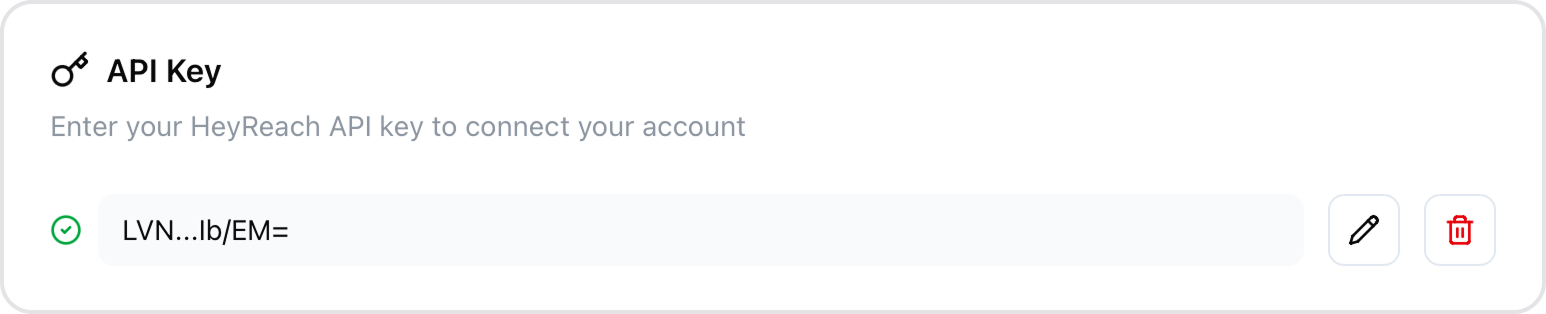
Enter your API key
Paste your HeyReach API key in Clearcue and click Save.
Create a List Sync
You can set up syncs in two ways:From Settings
From Settings
Go to Settings → Integrations → HeyReach to manage all your syncs in one place.
1
Click Create Sync
Click the Create Sync button to open the configuration dialog.
2
Select a Clearcue List
Choose which List you want to sync. People matching this list’s filters will be sent to HeyReach.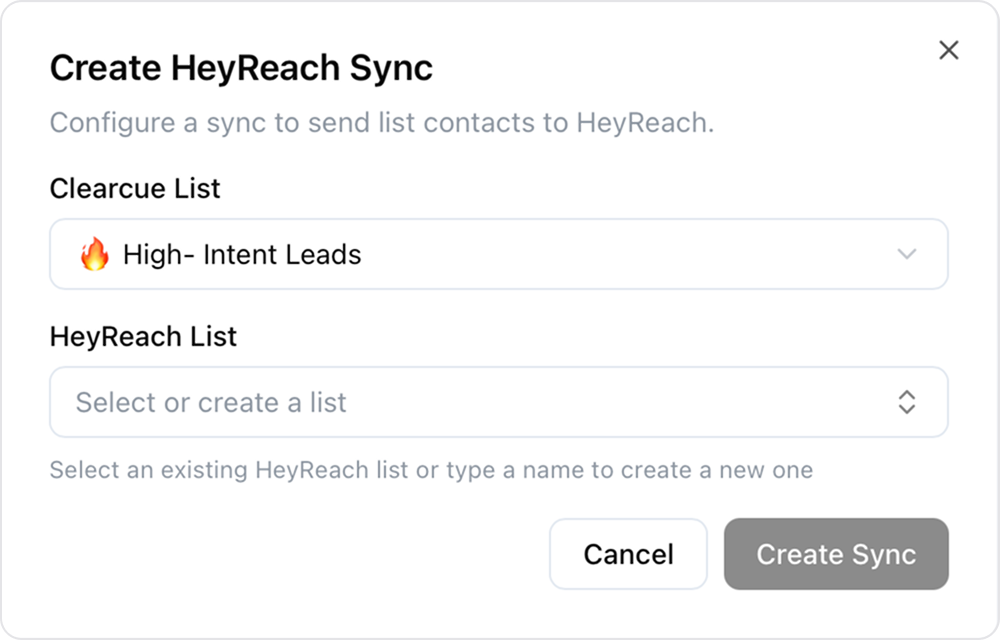
3
Select or create a HeyReach List
Choose an existing HeyReach list from the dropdown, or type a name to create a new list in HeyReach.
4
Create
Click Create to save. Clearcue will automatically start syncing people from your list.
From a List
From a List
You can also configure HeyReach syncs directly from any List:
1
Open the List you want to sync
Navigate to the List you want to send to HeyReach.
2
Go to List Settings
Go to List Settings → Integrations.
3
Configure your HeyReach sync
Select or create a HeyReach list and save. People from this list will be synced automatically.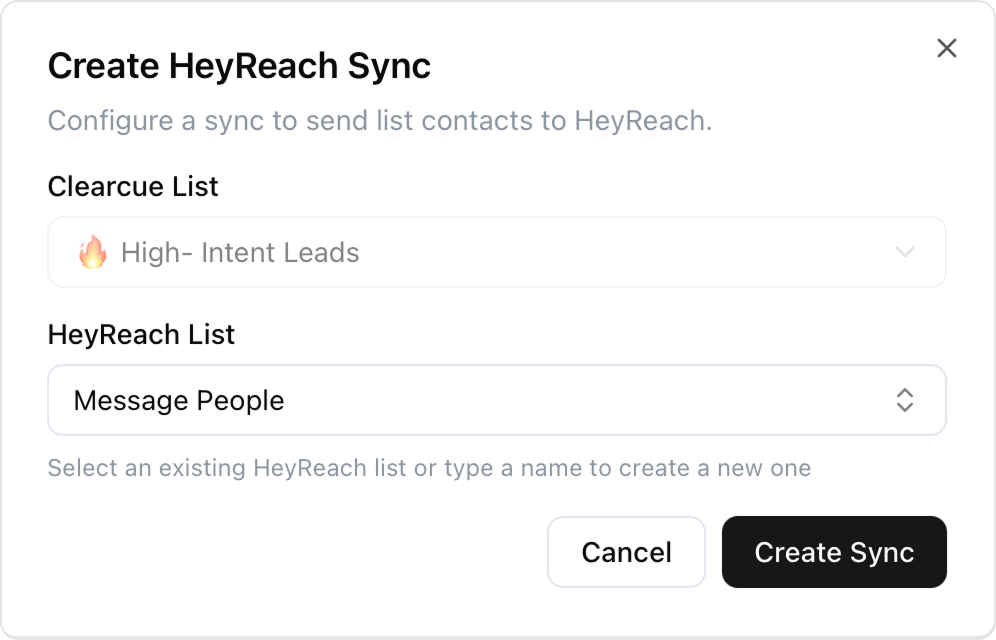
Monitor Syncs
From the syncs table, you can see the status of each sync including:- Status - Whether the sync is enabled or disabled
- People Synced - How many people have been sent vs total in the list
- Last Sync - When the last sync occurred
- View History - See detailed sync runs with added, updated, and failed counts
- Enable/Disable - Temporarily pause syncing without deleting the configuration
- Delete - Permanently remove the sync
Receive HeyReach Events
You can receive outreach events from HeyReach back into Clearcue as signals. This gives you a complete view of prospect engagement — see when messages are sent, when leads reply, and track the full conversation lifecycle.Set up the webhook
1
Create a webhook URL
Navigate to Settings → Integrations → HeyReach and scroll down to the Webhook Setup section. Click Create Webhook to generate a unique webhook URL.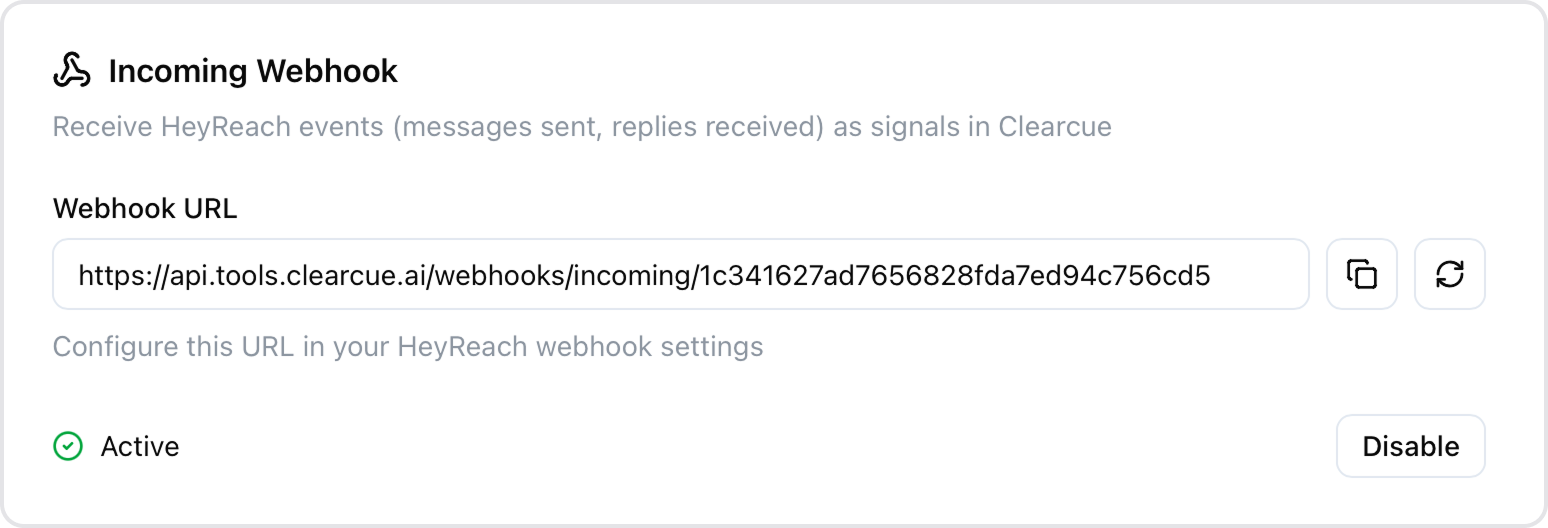
2
Configure in HeyReach
Copy the webhook URL and paste it in your HeyReach webhook settings. You’ll create one webhook per event type you want to track.
Event types
There are five event types you can track. Each one creates a different signal in Clearcue and requires its own webhook configuration in HeyReach. The only difference when configuring each is the event name you select.Message Sent
Message Sent
Fires when a regular LinkedIn message is sent to a lead through a HeyReach campaign. This is an outbound event — it tracks your team’s outreach activity.Use this to monitor outreach volume, see which leads have been contacted, and ensure your campaigns are running as expected.
InMail Sent
InMail Sent
Fires when a LinkedIn InMail is sent to a lead through a HeyReach campaign. This is an outbound event. InMails are premium LinkedIn messages that can reach people outside your network.Use this to track InMail outreach separately from regular messages, especially useful for campaigns targeting prospects you’re not yet connected with.
First Message Reply
First Message Reply
Fires only the first time a lead replies to a regular LinkedIn message in a conversation. This is an inbound event.This is the most common event for tracking engagement. It captures the moment a cold lead becomes a warm prospect by responding to your outreach. Subsequent replies in the same conversation do not trigger this event again.
First InMail Reply
First InMail Reply
Fires only the first time a lead replies to an InMail. This is an inbound event.Similar to First Message Reply, but specifically for InMail conversations. Useful when you want to track InMail engagement separately from regular message replies.
Every Reply
Every Reply
Fires every time a lead replies to any message or InMail — not just the first reply. This is an inbound event that covers both regular messages and InMails.Use this when you want to track the full conversation, including follow-up replies. This gives you visibility into ongoing engagement beyond the initial response.
How to configure an event
The setup is the same for all five event types — only the event name changes.1
Open the Signal template library
Go to Signals and click Create signal. In the template library, select HeyReach from the sidebar to see the available event types.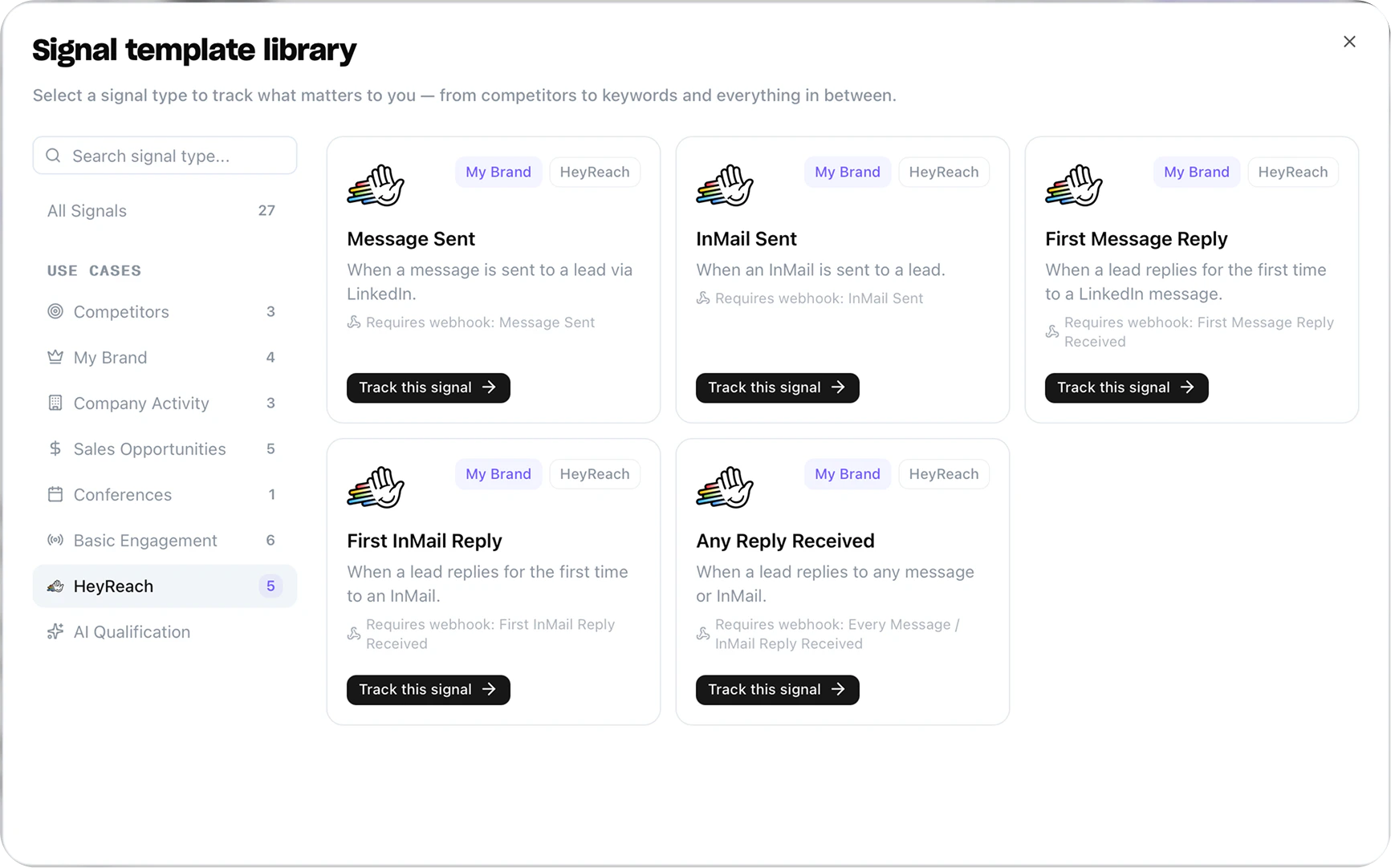
2
Configure the signal
Select the event type you want to track. Choose the sender accounts to monitor, then click Enable Signal.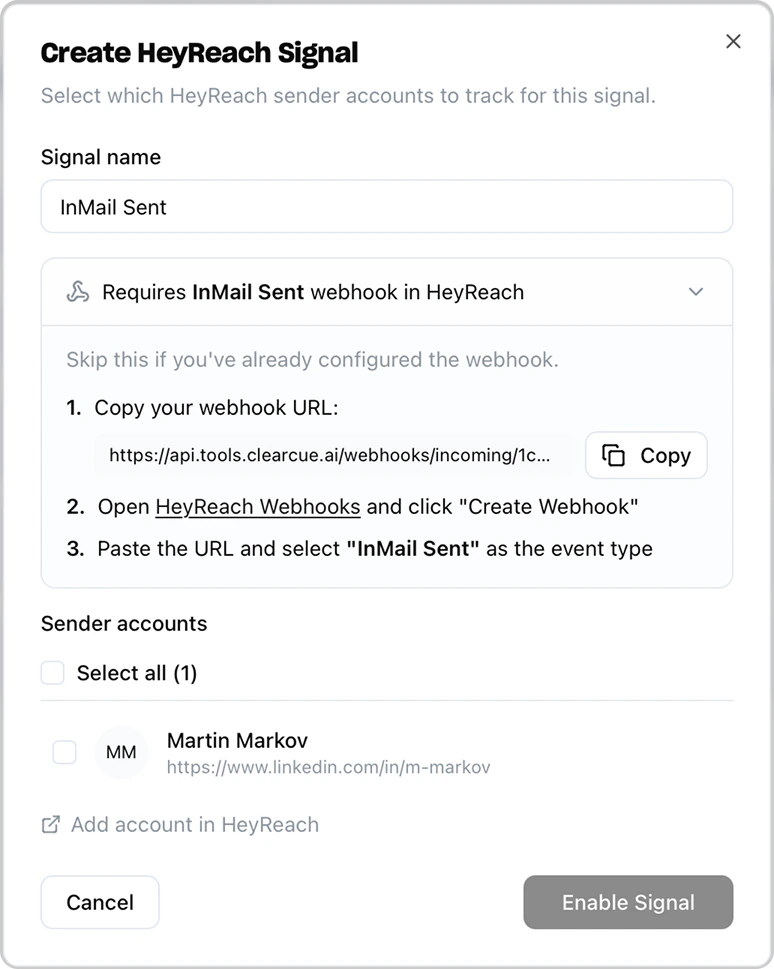
3
Set up the webhook in HeyReach
The modal shows which HeyReach webhook event to configure. Open HeyReach Webhooks, click Create Webhook, paste your Clearcue webhook URL, and select the matching event type.
What Data is Synced
Clearcue → HeyReach (per synced person)
- LinkedIn profile URL
- First name
- Last name
HeyReach → Clearcue (per webhook event)
- Event type (Message Sent, InMail Sent, First Message Reply, First InMail Reply, Every Reply)
- Lead details (LinkedIn profile URL, name)
- Sender details (LinkedIn profile URL, name)
- Conversation messages and context
Disconnect HeyReach
To disconnect your HeyReach account:- Go to Settings → Integrations → HeyReach
- Click the Disconnect button next to your API key
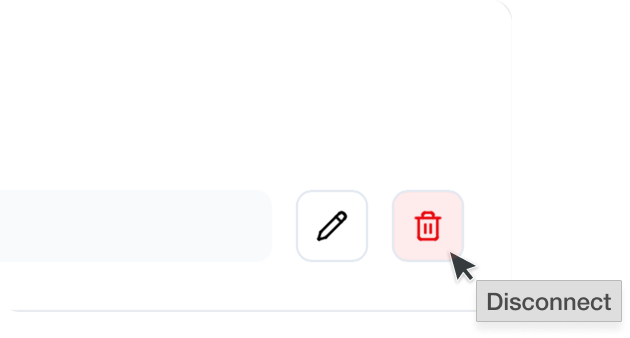
- Confirm the disconnection