> ## Documentation Index
> Fetch the complete documentation index at: https://docs.clearcue.ai/llms.txt
> Use this file to discover all available pages before exploring further.
# Export
> Export your data to CSV for use in spreadsheets and external tools.
Export your filtered People or Companies data to a CSV file for use in spreadsheets, CRMs, or other tools.
Navigate to a saved List, or filter records from *People*, *Companies*, or Audiences.
Check that the list includes the right people or companies.
Sort by columns (e.g., Intent Score or Last Activity) if you want to prioritize the order of exported records.
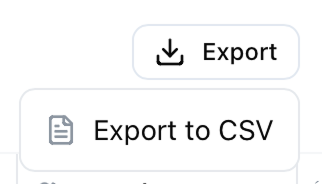
Click the **Export** button and select **Export to CSV**. Your file will download automatically.
 ## What's included in the export?
**People exports include:**
* First Name, Last Name, Position, Seniority
* Company, Company URL, Location
* LinkedIn URL
* Signals Count, Last Interaction
**Company exports include:**
* Company Name, Industry, Company Size
* Location, Revenue, Funding Stage
* Website, LinkedIn URL
* Signals Count, Engaged People Count, Last Interaction
***
Looking to sync data automatically? Check out our [other integrations](/integrations/overview) for continuous syncing.
## What's included in the export?
**People exports include:**
* First Name, Last Name, Position, Seniority
* Company, Company URL, Location
* LinkedIn URL
* Signals Count, Last Interaction
**Company exports include:**
* Company Name, Industry, Company Size
* Location, Revenue, Funding Stage
* Website, LinkedIn URL
* Signals Count, Engaged People Count, Last Interaction
***
Looking to sync data automatically? Check out our [other integrations](/integrations/overview) for continuous syncing.